
Glycosylating a protein#
In this tutorial we will cover:
how we may use BuildAMol to glycosylate a protein
Glycosylation refers to the attachment of polysaccharides onto large biomolecules, most commonly proteins and membrane lipids. Although one of the “fragments” is very large (an entire protein for instance) the procedure of glycosylation itself is no different from attaching two small molecules like benzene together. So let’s demonstrate how we can glycosylate a protein using BuildAMol.
Let us consider a proposed G-protein coupled receptor in C. elegans with UniprotID Q10904. This protein should be glycosylated at Asparagine-210. However, because there are no experimental structures available for it we don’t know how this would look exactly.
Let’s use the AlphaFold predicted model for Q10904 and attach the glycan ourselves!
[1]:
import buildamol as bam

# let's first load a protein
protein = bam.read_pdb("./files/Q10904.pdb")

# since many PDB files do not contain the linkage information, we can infer it
protein.infer_bonds(restrict_residues=False)

# let's check what we got
protein.py3dmol(style="cartoon", color="spectrum").show()
You appear to be running in JupyterLab (or JavaScript failed to load for some other reason). You need to install the 3dmol extension:
jupyter labextension install jupyterlab_3dmol
Okey, so it seems like the ASN-210 is somewhere in an unstructured loop. Well it looks accessible for glycosylation at least…
Now we can make the glycan to attach. Actually, the glycan is just a single N-acetyl glucose molecule in this case. So all we need to do is attach this molecule onto the protein.
[2]:
# load the built-in sugar dataset to get the monosaccharide
bam.load_sugars()

# actually there are two conformers for GlcNAc
# we'll just use the first one...
glycan = bam.get_compound("GlcNAc")[0]
glycan.py3dmol().show()
You appear to be running in JupyterLab (or JavaScript failed to load for some other reason). You need to install the 3dmol extension:
jupyter labextension install jupyterlab_3dmol
Okey, so far so good. We know that the glycosylation is N-linked. That is to say, the side-chain N of Asn-210 will be bound to C1 of the GlcNAc, whereby a water molecule is lost. Let’s model this:
[3]:
# attach ND2 (the side chain N of ASN) to the C1 of the sugar
link = bam.linkage("ND2", "C1", delete_in_source=["O1", "HO1"])

# now attach the sugar to the protein
# (btw. since the protein is failry large it is more efficient
# to use the attach method here instead of the + operator
# since the method works in-place by default)
protein.attach(glycan, link, at_residue=210, other_inplace=True)
[3]:
Molecule(Q10904)
Now let’s inspect the result once more to see if everything worked out as expected…
[4]:
v = protein.py3dmol(style="cartoon", color="spectrum")
v.add(glycan.py3dmol(color="orange"))
v.show()
You appear to be running in JupyterLab (or JavaScript failed to load for some other reason). You need to install the 3dmol extension:
jupyter labextension install jupyterlab_3dmol
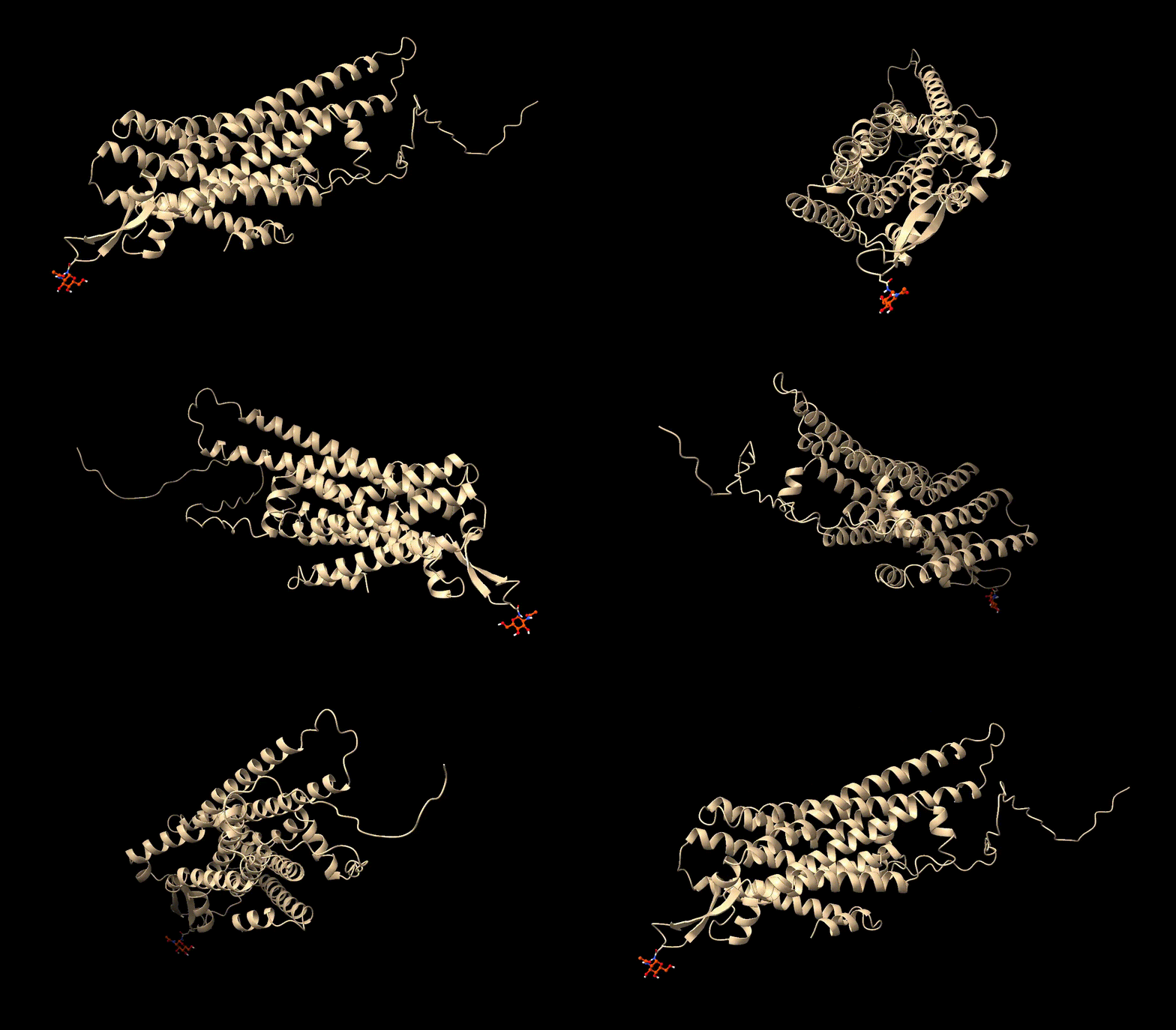
And there we go! Now we have a glycoprotein! Now we can save it to a new PDB file to continue our research with it…
[39]:
protein.to_pdb("files/Q10904_with_GlcNAc.pdb")
Here is the final PDB:
And that’s it for this tutorial! We have seen how we can use BuildAMol to perform modifications on proteins by example of a glycosylation! Thanks for checking out this tutorial and good luck with your project using BuildAMol!